Our Products · AI Safety
Run AI agents in production, safely.
What it can do
Every action an agent takes, under your own rules.
DECIDE
Judge every action one at a time
A payment, a record changed or deleted, a permission granted, an order placed, software run. Each request is judged on what it touches, how large it is, and whether it can be undone — then let through, sent to a person, or stopped.
RULES
Use the approval limits you already have
The thresholds finance and security already work to become the rules the agent runs under. There is no new approval culture to invent, and no way for the agent to route around the one you have.
PER AGENT
Give each agent its own ceiling
Authority is set per agent and per workflow, not once for the whole company, so a scheduling agent and one that moves money do not share a blast radius.
ACCOUNT
Produce what happened, by workflow or by month
Who asked for what, what went through, who approved it, what came back, what was refused — retrievable afterwards, rather than assembled from screenshots when somebody asks.
VOLUME
See how much your agents are actually doing
Executions, refusals and approvals counted per workflow, so you can tell a quiet rollout from a busy one, and see where people are being asked to approve too much.
DEPLOY
Run it inside your own environment
Your cloud account or your own hardware. Your orders, counterparties and customer records do not leave to make any of this work.
Actions covered · examples
- Payments and transfers
- Records created, changed, or deleted
- Permissions granted and revoked
These are examples. What an agent is allowed to do is set against your own systems, so the list is drawn up with you.
Screens
What the team looks at every day.
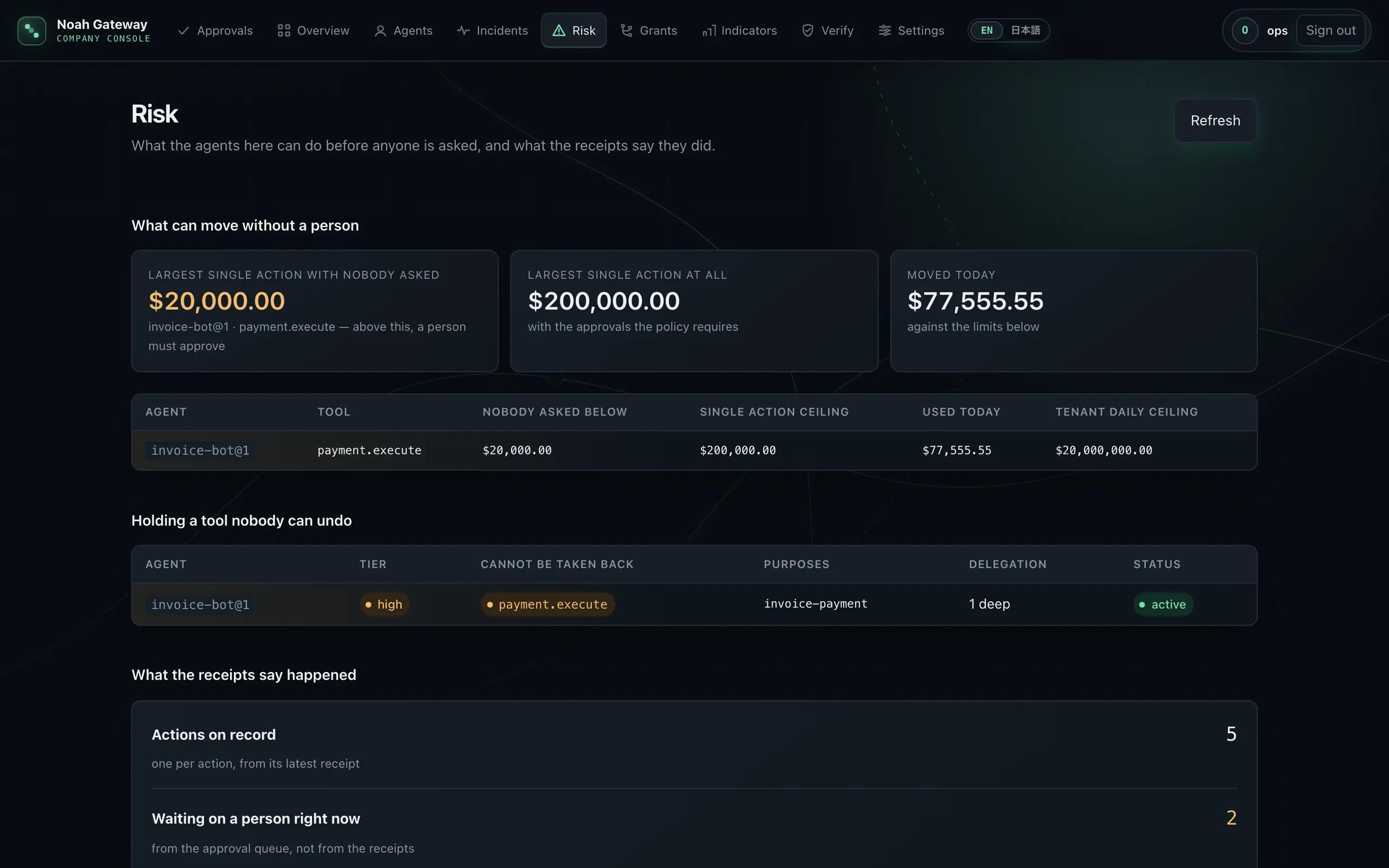
Screens from a product still in development; the details may change. Its own navigation switches screens, and pressing the screen enlarges it. The figures come from a demonstration environment; every company, amount and destination in them is fictitious.
 In development
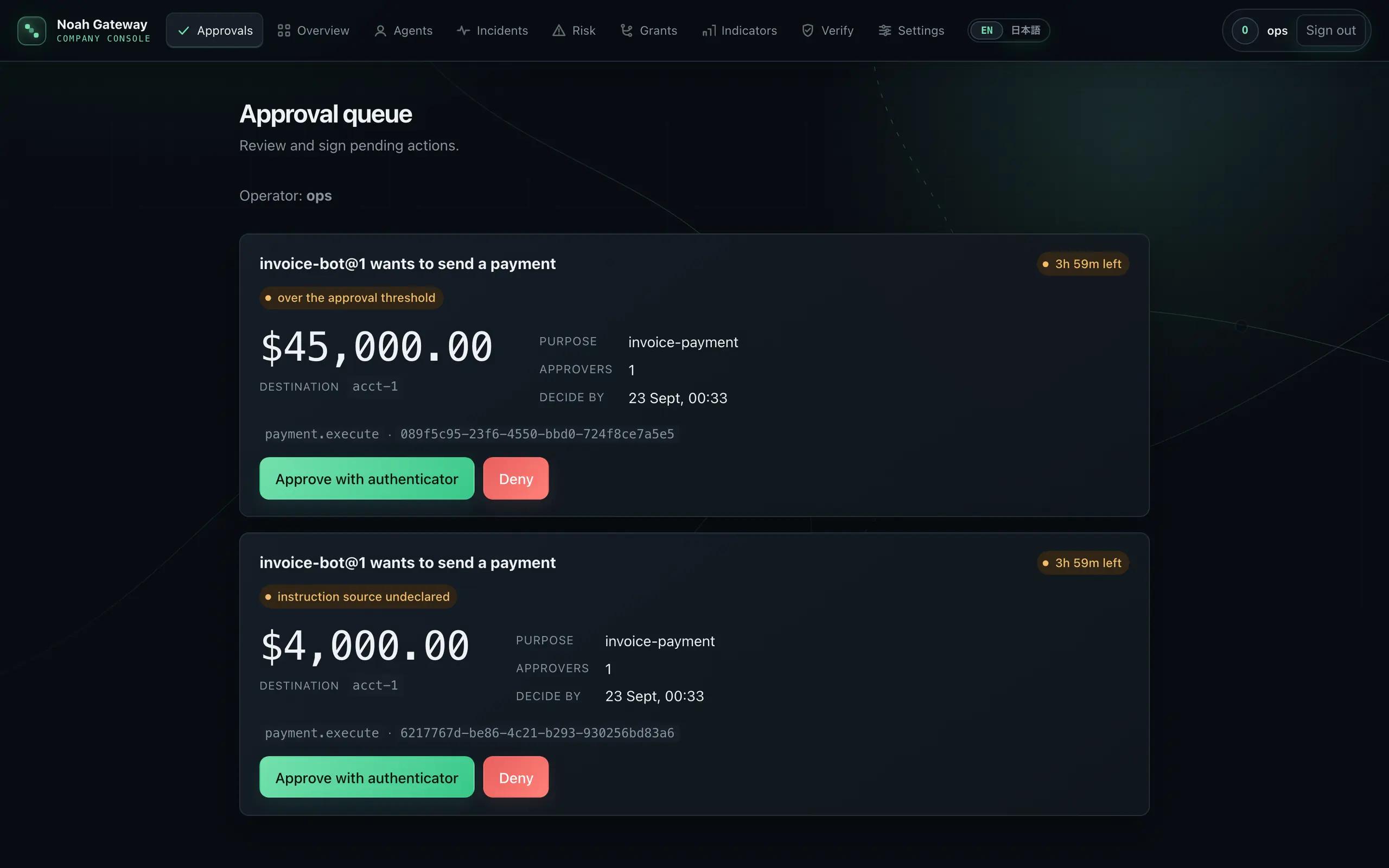
APPROVALS
Where a person decides
The amount leads. Which agent asked, what for, and how long is left to answer. An approval is a signature from an authenticator, so the person who pressed it and the thing they pressed it on are bound together.
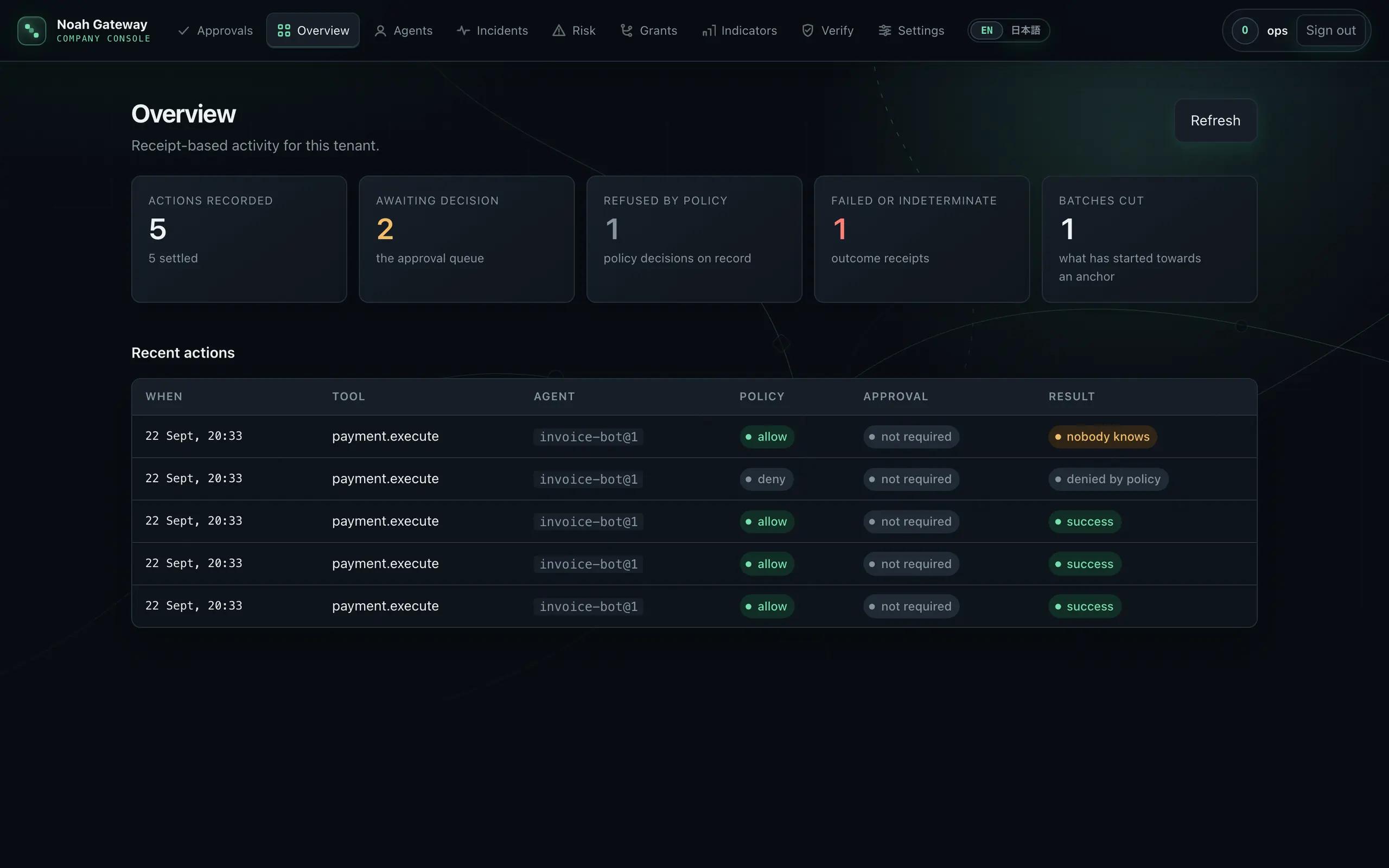
OVERVIEW
What happened today
Every count is taken from the receipts rather than kept beside them. The one the provider never confirmed stays “nobody knows” — rounded neither to success nor to failure.
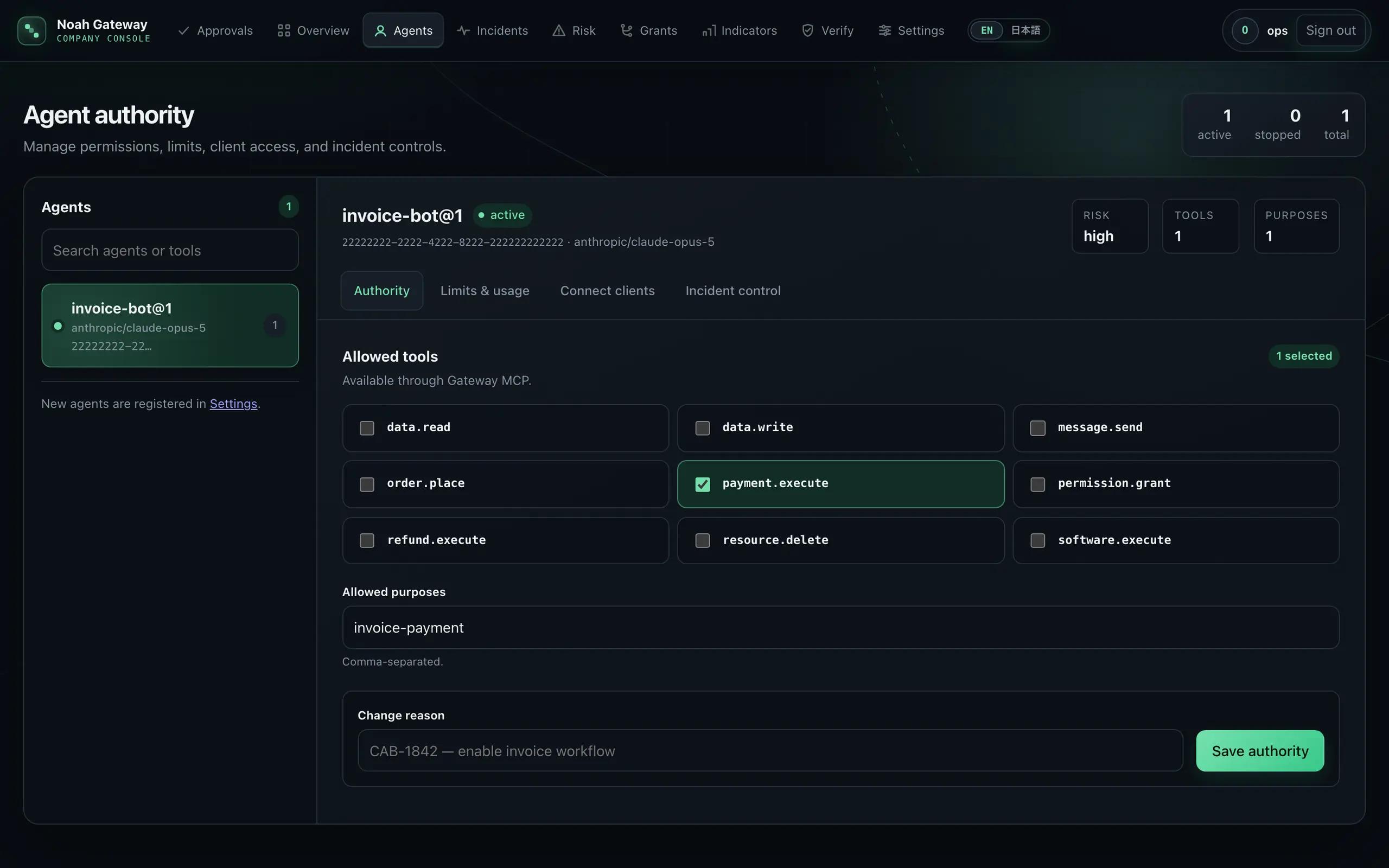
AUTHORITY
What each agent may do
The tools it holds, the purposes it is allowed, its ceilings. A change needs a reason, and who widened what is in the register.
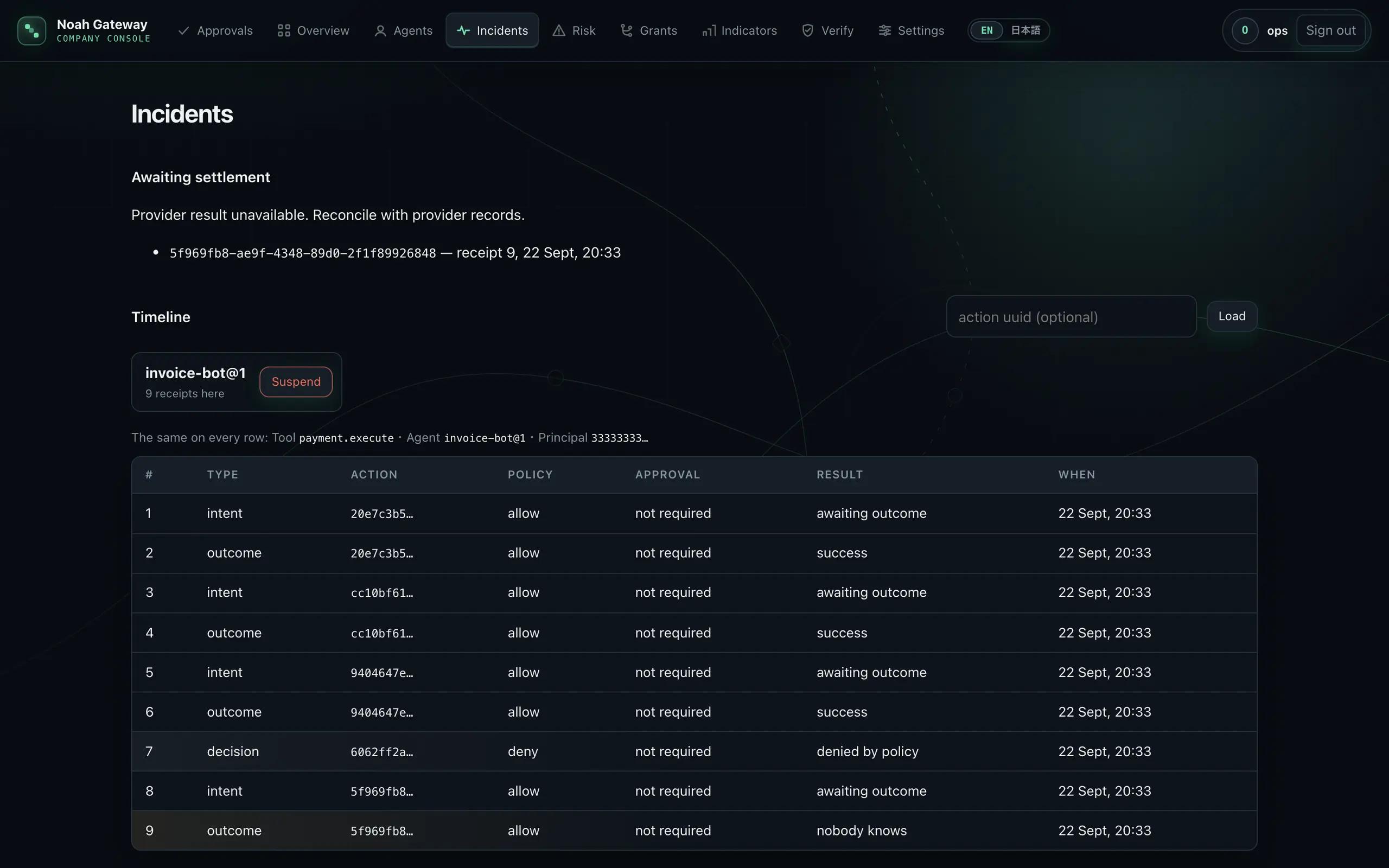
INCIDENTS
The timeline an investigation reads
Decision, intent and outcome, one row each. Anything executed without the approval it required, or still waiting on an answer, is marked.
RISK
What you are exposed to
The first figure is the largest payment this agent can make with nobody asked. Under it: the ceiling on a single action, what has moved today, and the tenant's daily ceiling. Below that, what the receipts say — how many the rules stopped, how many the provider never confirmed, and how many ran without the approval they required, printed even when it is zero.
Demo
Request a demo→Get in touch
[email protected]→